
Artificial Intelligence
How To Turn Rough Sketches Into Pro Designs With ChatGPT Images 2.5
Share
TL;DR
-
The new Sketch feature lets users draw directly in ChatGPT and use the drawing as a reference.
-
OpenAI says image generation latency is up to 50% lower than Images 2.0.
-
Sketches can establish composition, placement, shape, and visual hierarchy before rendering begins.
-
Text prompts remain important for defining materials, colors, lighting, style, and intended use.
-
Comments, templates, and improved multi-turn editing make it easier to refine the first result without rebuilding the design.
Introduction
Remember Etch A Sketch? You could have a brilliant castle in your head and somehow end up drawing three crooked rectangles and something that looked suspiciously like a toaster.
For years, digital image generation had a similar problem in reverse. You could describe exactly where everything should go, yet the model still had to interpret your composition through words.
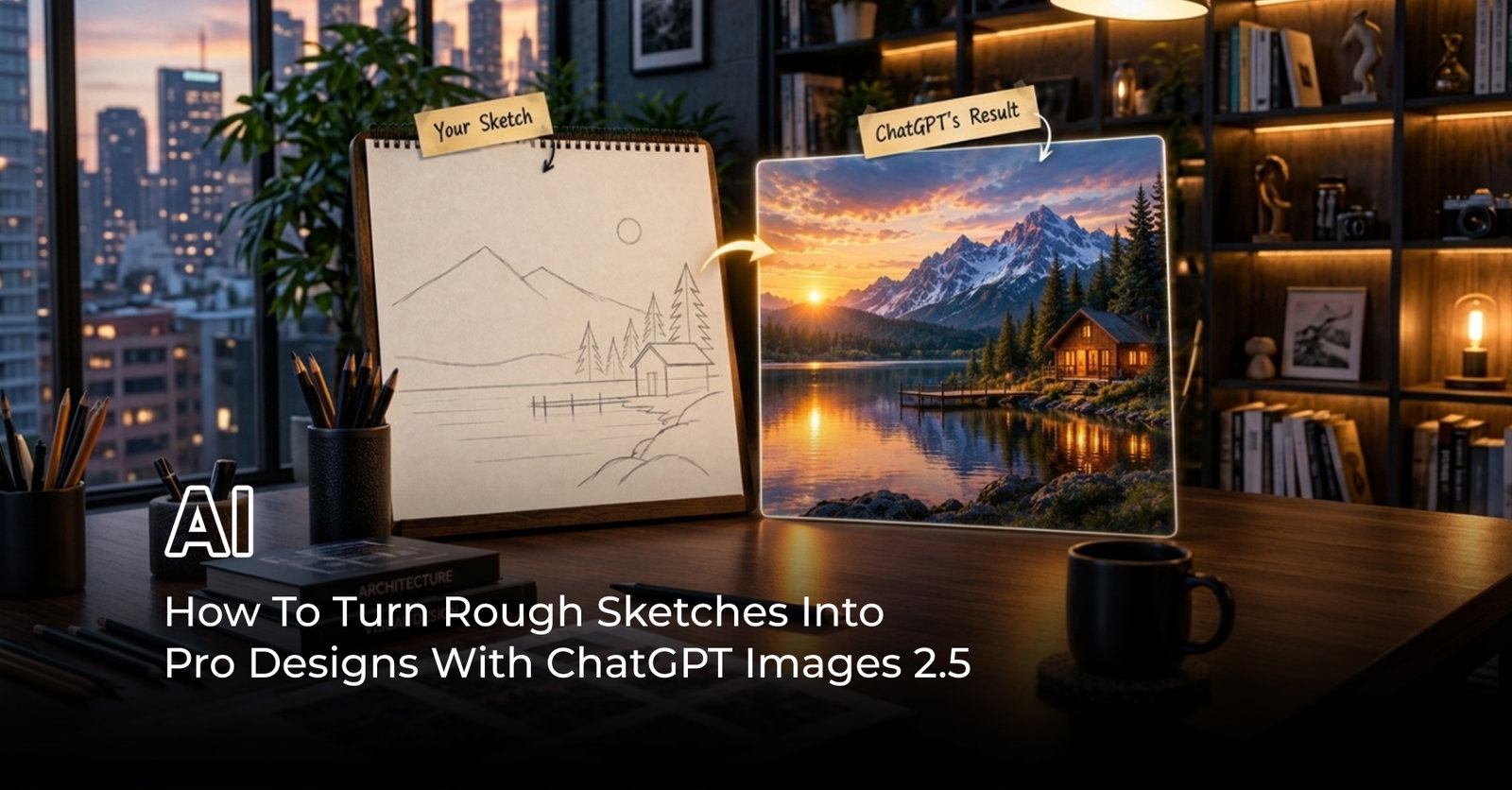
ChatGPT Images 2.5 changes that equation with Sketch. Instead of explaining that the chair belongs in the lower-left corner, the product should sit slightly off-center, or the headline needs empty space above it, you can simply draw the arrangement.
That rough drawing then becomes a visual reference while your prompt explains what the finished image should look like.
So, can a few messy lines really become something presentation-ready?
What Is Sketch In ChatGPT Images 2.5?
Sketch is a new creation feature introduced with ChatGPT Images 2.5 that lets users draw directly inside ChatGPT and turn that drawing into a generated image.
According to OpenAI's ChatGPT Images 2.5 announcement, users can sketch something as simple as a room layout, the outline of an outfit, or a doodle, then provide written instructions describing the desired result. The sketch functions as a visual guide rather than polished source artwork.
On supported mobile experiences, the workflow begins by typing “@” and selecting Sketch. You can draw, erase strokes, choose colors, confirm the sketch, and then add instructions describing the intended subject, colors, or style.
That last step matters. Sketch communicates where things should go. Your written instructions communicate what those things should become.
Why Rough Sketches Can Work Better Than Text Alone
Imagine designing a poster with a shoe at the bottom, a dramatic skyline behind it, and open space for copy across the top.
A text prompt can describe that composition. However, phrases such as “slightly lower,” “more space above,” or “move the object to the left” still leave room for interpretation.
A sketch converts some of those abstract instructions into spatial information.
Independent testing has shown why this can be useful. In one structured test using deliberately rough diagrams across posters, rooms, products, thumbnails, and other layouts, the sketch helped communicate placement, scale, and empty space that prose could otherwise lose.
OpenAI has also improved the underlying model's ability to follow complex visual instructions, preserve composition, and maintain details through subsequent edits.
The sketch is not replacing prompting. It is giving the prompt a blueprint.
How To Turn Rough Sketches Into Pro Designs With ChatGPT Images 2.5
The most reliable workflow is to separate composition from visual treatment.
-
Start with structure: Sketch only the major elements first. Show where the main subject, background objects, text area, or important empty space should sit. The drawing does not need detail because Sketch is meant to guide the composition rather than reproduce every stroke literally.
-
Explain the finished look: Once the sketch is attached, describe what the final design should become. Include the purpose, subject, visual style, colors, materials, lighting, environment, and mood. OpenAI's image prompting guidance recommends grounding prompts in details such as purpose, subject, action, setting, and style.
-
Specify what must stay fixed: If the position of an object, negative space, camera angle, or hierarchy matters, say so directly. For example, tell ChatGPT to preserve the sketched composition while transforming the drawing into a photorealistic product advertisement.
-
Refine instead of restarting: Images 2.5 is designed to maintain previous changes more reliably during multi-turn editing. Ask for focused changes such as warmer lighting, a different fabric, less background clutter, or additional space around a product rather than generating an entirely new concept.
-
Use comments for precise fixes: ChatGPT Images 2.5 also allows users to comment directly on images for targeted edits. This is useful when one area needs work but the rest of the design is already right.
What Kind Of Designs Can You Create From A Sketch?
OpenAI itself demonstrates Sketch with examples such as rooms and clothing concepts, but the workflow extends naturally to other composition-heavy visuals.
A marketer could map out a product advertisement before adding photography-style lighting and branding. An interior designer could block out furniture placement before testing materials and decor. A creator could sketch a thumbnail layout with space reserved for a subject and headline. A fashion designer could define a silhouette before experimenting with fabric, color, or styling.
The broader advantage is control over visual hierarchy.
Images 2.5 is also better at producing complex layouts, transparent backgrounds, visual styles, and real-world information. OpenAI specifically highlights applications such as campaign assets, UI concepts, presentations, product imagery, and branded creative workflows.
Why ChatGPT Images 2.5 Makes Iteration Faster
Sketch would be far less useful if every correction meant waiting for a completely new interpretation.
That is why the other Images 2.5 improvements matter.
OpenAI says generation latency has been reduced by up to 50% compared with Images 2.0. The model also produces more natural lighting and richer textures while improving reference-image fidelity and multi-turn editing consistency.
The update also introduces templates for common formats such as posters and merchandise. Templates can help when you know what kind of asset you need but have not decided its complete structure. Sketch takes the opposite approach: you already know roughly where things belong and need the model to turn that layout into something finished.
Together, these tools reduce the number of times creators have to start from an empty prompt box.
Where Sketch Still Needs Human Direction
A rough sketch gives ChatGPT stronger composition guidance, but it does not turn the model into a mind reader.
Research and hands-on tests suggest the model still interprets a drawing rather than tracing it mechanically. That flexibility is useful for rough concepts but means users should explicitly identify anything that must remain exact.
Likewise, complex typography, precise brand rules, unusual proportions, or dense layouts may still require several editing rounds. OpenAI's own Help Center notes that selected editing regions are not always precise and changes can extend beyond the highlighted area.
That makes Sketch strongest as a direction tool rather than a replacement for design judgment.
Conclusion
ChatGPT Images 2.5 gives rough drawings something they rarely receive: permission to stay rough.
The value of Sketch is not that it suddenly makes everyone an illustrator. It lets people communicate composition without having to translate every spatial idea into paragraphs of prompt engineering. Images 2.5 then adds the visual detail, while comments and multi-turn edits help push the first draft toward something more polished.
That brings us back to the Etch A Sketch problem. Your crooked rectangles no longer need to look like the final castle. They only need to show ChatGPT where the castle belongs.
For creators who think visually before they think in prompts, that may be the more meaningful upgrade.
Frequently Asked Questions
Is ChatGPT Images 2.5 Available On Free Accounts?
Yes. ChatGPT Images 2.5 is available across ChatGPT tiers. The broader image-generation experience is available on web, iOS, and Android, although individual features can vary by platform.
Where Are Images Created With ChatGPT Images 2.5 Saved?
Images generated in ChatGPT are automatically stored in the Images section, where users can revisit, reuse, copy, save, or share previous creations without searching through old conversations. OpenAI Help Center
Can Someone Else Reuse The Prompt Behind Your ChatGPT Image?
Yes. ChatGPT Images lets users share the prompt behind a generated image so another person can create their own variation. On mobile, users can select Share, choose Prompt Template, and copy a shareable link.
Mon, Sep 21, 2026

Liked what you read? That’s only the tip of the tech iceberg!
Explore our vast collection of tech articles including introductory guides, product reviews, trends and more, stay up to date with the latest news, relish thought-provoking interviews and the hottest AI blogs, and tickle your funny bone with hilarious tech memes!
Plus, get access to branded insights from industry-leading global brands through informative white papers, engaging case studies, in-depth reports, enlightening videos and exciting events and webinars.
Dive into TechDogs' treasure trove today and Know Your World of technology like never before!
Disclaimer - Reference to any specific product, software or entity does not constitute an endorsement or recommendation by TechDogs nor should any data or content published be relied upon. The views expressed by TechDogs' members and guests are their own and their appearance on our site does not imply an endorsement of them or any entity they represent. Views and opinions expressed by TechDogs' Authors are those of the Authors and do not necessarily reflect the view of TechDogs or any of its officials. While we aim to provide valuable and helpful information, some content on TechDogs' site may not have been thoroughly reviewed for every detail or aspect. We encourage users to verify any information independently where necessary.
Loading comments...